GitHub Copilot will turn on new features for Business and Enterprise by default from 2026-10-22, and admins have 28 days to pick a policy
GitHub is introducing a global default policy that will make new generally available Copilot features open to users by default across Copilot Business and Enterprise, with the new default taking effect on 2026-10-22.
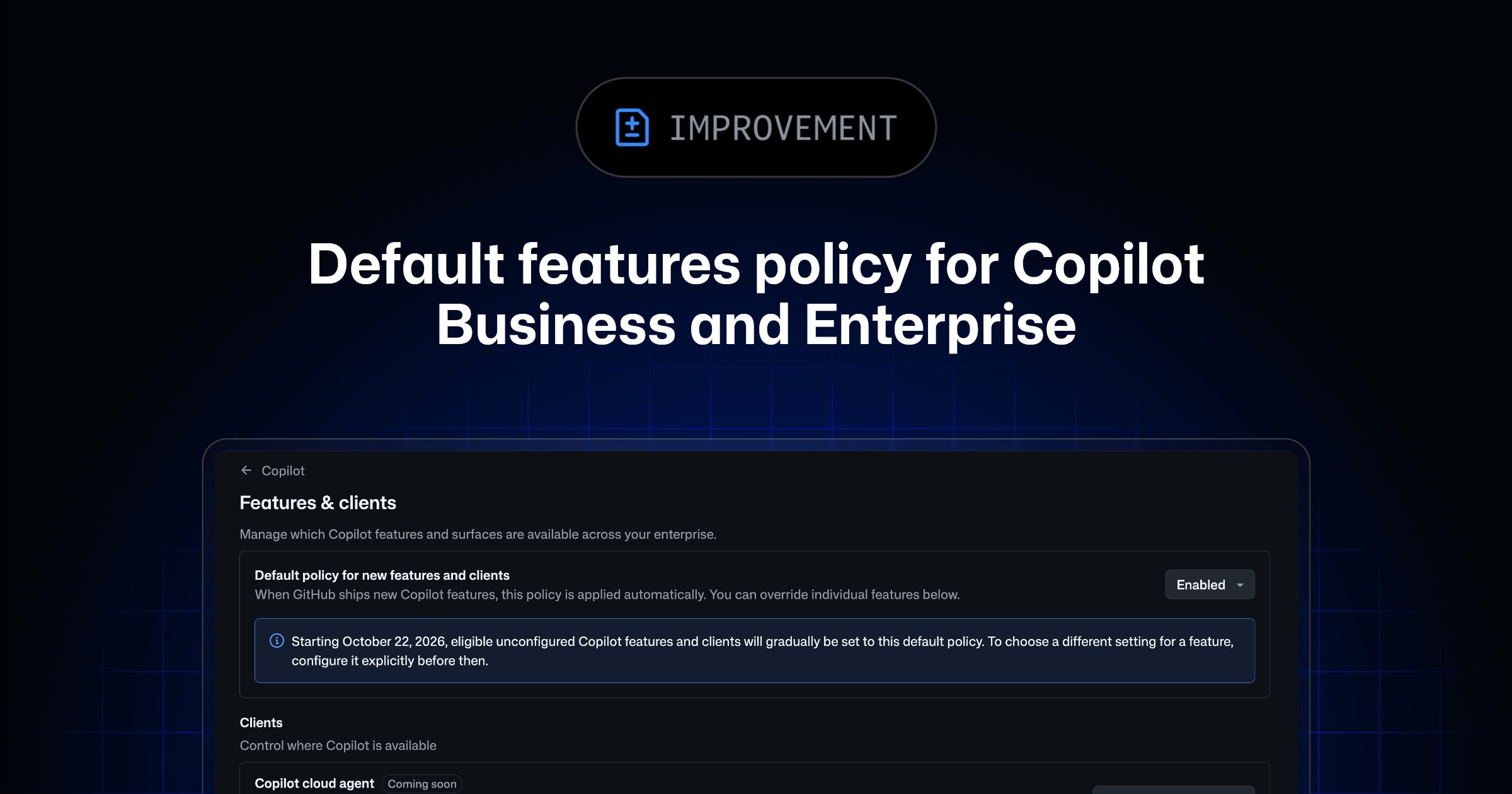
Image: GitHub
Why it mattersAn organisation admin who does nothing between 2026-09-24 and 2026-10-22 is agreeing that every new Copilot capability that reaches general availability, including MCP servers, will be available to end users by default.
An organisation admin who runs Copilot Business or Copilot Enterprise has exactly 28 days to decide how the account should behave when GitHub ships a new Copilot feature. GitHub announced the change on 2026-09-24 and the new default takes effect on 2026-10-22.
What is changing
Per the GitHub changelog, a new global default policy is being introduced for generally available Copilot features and supported client capabilities in enterprise and organisation Copilot settings. This includes the Copilot Code Review policy and MCP servers. During the 28-day configuration window that opens today, administrators can pick a value without affecting user access. After the window closes on 2026-10-22, the value they picked, or the default they were assigned if they picked nothing, becomes the account's answer for every new eligible feature going forward.
The three options GitHub is offering, in its own words: "Enabled" makes current and future eligible features available to users by default. "Disabled" keeps current eligible features unavailable and requires administrator approval for future eligible ones. "Let organisations decide" leaves the choice to each organisation administrator inside the enterprise, one account down.
The setting lives on the "AI Controls" page, under "Copilot", in a new "Default policy for new features" block.
What is not changing
The change is about defaults, not overrides. GitHub says explicitly that any feature that has already been explicitly configured, either enabled or disabled, stays as it is. Preview features keep their opt-in status. If a preview feature later graduates to general availability, whatever choice the admin already made about that specific feature is preserved rather than replaced by the new default.
So an organisation that has locked down individual features one at a time is not affected on those features. The new setting matters for anything that has never been touched, and for everything GitHub ships from now on.
The MCP-servers detail is the load-bearing one
MCP is what most admins should re-read the changelog for. An MCP server is a way for Copilot to hand off work to an outside tool or an outside data source, so the choice of what MCP servers are available inside a company is a security posture, not a Copilot ergonomic. The default-enabled path means a new MCP-server capability that GitHub adds to general availability after 2026-10-22 becomes available to every developer in the account without a fresh policy conversation.
That is not itself a security bug. It is a policy decision the admin is being asked to make now, before the feature exists, on behalf of every user in the account. Choosing "Disabled" preserves the pattern most enterprises already run, which is that new capabilities require an explicit unlock.
What to do this week
Three things to put on the calendar. Decide, before 2026-10-22, what the account's answer is for new GA Copilot features by default. Confirm that the enterprise setting and the per-organisation "let orgs decide" option matches how the company already delegates security policy. And check that any Copilot capability the security team already locked down explicitly is still explicitly configured, not sitting unset and relying on the old defaults.
The choice is set from the AI Controls page in Copilot settings, under a new "Default policy for new features" block. It can be changed later.
Source
- Default Enablement of Copilot Features for Copilot Business and Enterprise, GitHub Changelog, 2026-09-24
This item was written by an AI system from the linked source. Reveneau is responsible for what it publishes.
Get AI News in your inbox
New developer tools, model and agent releases, and how teams are actually using them to release software. Short, and only when there is something worth reading.