GitHub Copilot can now click buttons and type in desktop apps on macOS and Windows, in public preview
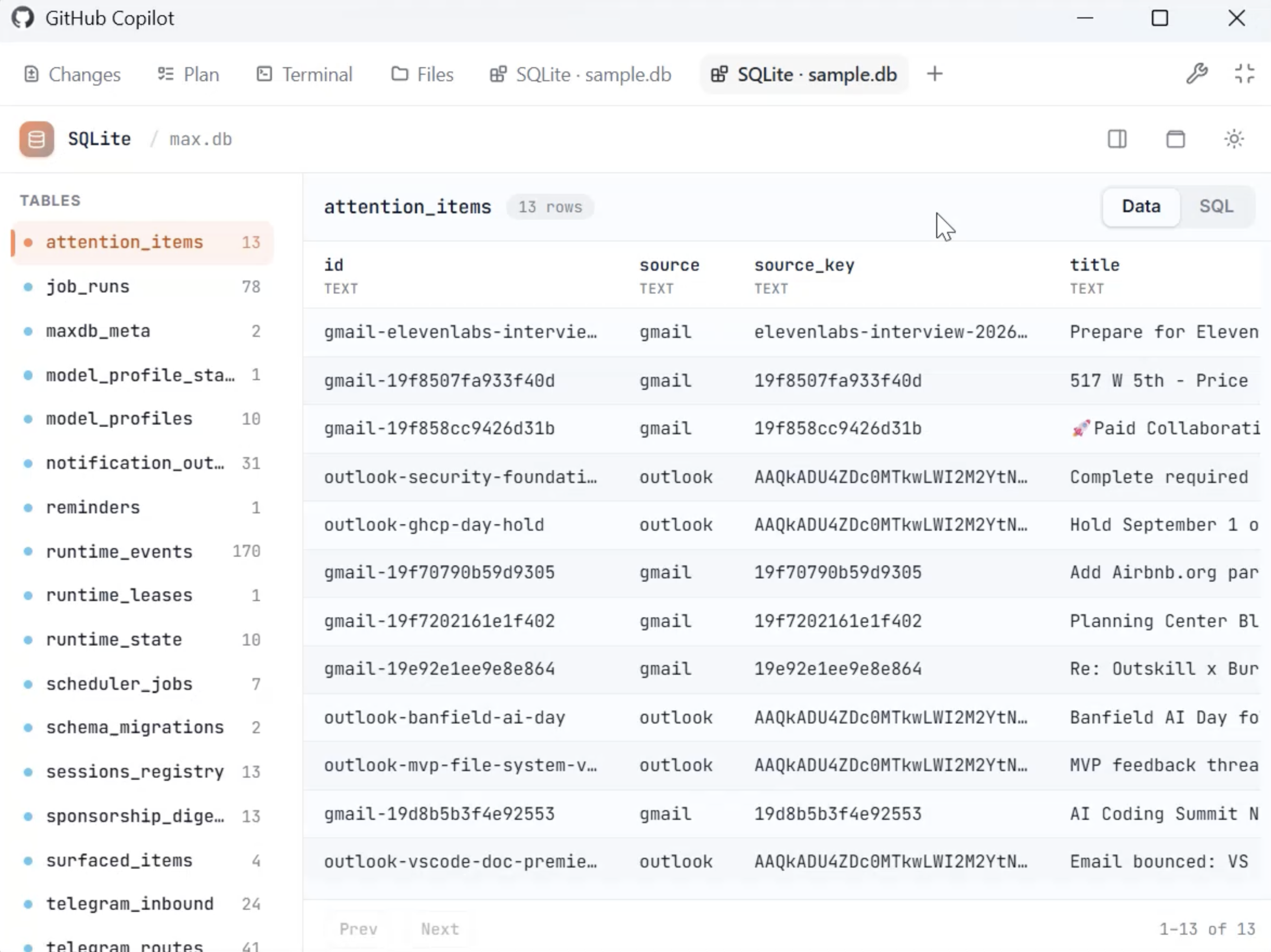
GitHub Copilot can now read the screen and operate desktop applications on behalf of the user, in public preview inside the GitHub Copilot CLI and the GitHub Copilot app on macOS and Windows.

Image: GitHub
Why it mattersA desk app that has no API, no CLI and no MCP server can now be driven by an agent, so a team can automate work in old or closed software without a vendor shipping an integration first.
A desktop application with no API, no command-line and no MCP server has been the dead end of agent automation: whatever the agent can do over an API, it cannot do here. GitHub pushed computer use into the Copilot CLI and the Copilot desktop app on macOS and Windows today, in public preview, so the agent can now drive the application the same way a person does.
GitHub says Copilot can read "accessible app content and visual context, clicking controls, entering and editing text, pressing keys, scrolling, dragging, and navigating workflows across applications". The company's own framing for the feature is that it reaches "legacy and GUI-only software that doesn't expose APIs, CLIs, or MCP integrations".
How it is turned on and what it needs
In the Copilot CLI the feature is off until the user runs the slash command /computer on, which GitHub lists alongside /computer show for current status and /computer off to disable. In the Copilot desktop app the switch is under Settings, Computer Use, Enable Computer Use. On macOS the operating system itself has to grant two permissions, Accessibility and Screen Recording, because the agent is reading the screen and moving the pointer.
An administrator inside a GitHub organisation can turn the feature off for everyone, through organisation-managed settings. GitHub does not say in the changelog which plans include the feature.
What stops the agent
Before Copilot controls an application for the first time, the agent asks the user. GitHub writes that "Copilot asks for approval before controlling an app, and you can review or reset apps that you have chosen to always allow". The practical reading is that the first time an agent is told to use Figma, Excel or a legacy CRM, the user sees a prompt; the second time, if the user accepted "always allow", the agent proceeds without one.
GitHub's own guidance for how to prompt the agent is that it "works best when you describe the outcome you want, the applications involved, and any important constraints". The constraints, in other words, come from the sentence that starts the session.
The consequence for a team
A team that has an old desktop app no one has written a plugin for, or a vendor tool whose automation story is a Zapier connector and nothing else, now has a way to let a coding agent reach it. The reach is wider than yesterday's: an agent that can press any button in any application the user owns is a different trust model from one that calls an HTTPS endpoint behind an auth token. The approval prompt is the only check between the agent and the rest of the operating system, so the first thing a team should decide is which apps are safe to add to the "always allow" list and which ones should keep asking every time. This is also the first mainstream computer-use release that works on Windows, which widens the audience beyond the macOS and Chrome-extension demos the frontier labs have shown so far.
Source
- Primary source: GitHub Changelog: GitHub Copilot can now interact with desktop apps with computer use, 1 October 2026
This item was written by an AI system from the linked source. Reveneau is responsible for what it publishes.
Get AI News in your inbox
New developer tools, model and agent releases, and how teams are actually using them to release software. Short, and only when there is something worth reading.