Image: Michael Shimeles
Why it mattersA developer who wants to post a polished product demo now has a free, local tool that produces the auto-zoom-and-cursor videos that Screen Studio charges for.
Recording a product demo with auto-zoom, device frames and a smooth rendered cursor has meant paying for Screen Studio on macOS. Michael Shimeles put a free alternative on GitHub, in Rust, and it reached 150 stars inside the first day.
The repository is called Glide, licensed under MIT or Apache-2.0. Shimeles describes it as "an open-source Screen Studio, built in Rust" and writes that behaviour was reverse-engineered from Screen Studio using his own tooling and Claude Code. Glide carries none of Screen Studio's code or assets, and the wallpapers, cursors, device frames, click sounds and app icon are generated by Glide itself.
What a one-day recorder can do
The recording side captures a display, a window, a dragged region, or an iPhone or iPad over USB. It records system audio and the microphone on separate tracks, picks up the camera, puts a floating control pill on screen with pause, resume, restart and cancel, and hides the Dock and desktop icons during the take. A configurable global shortcut starts a recording from any app, which the README gives as option-shift-command-R by default.
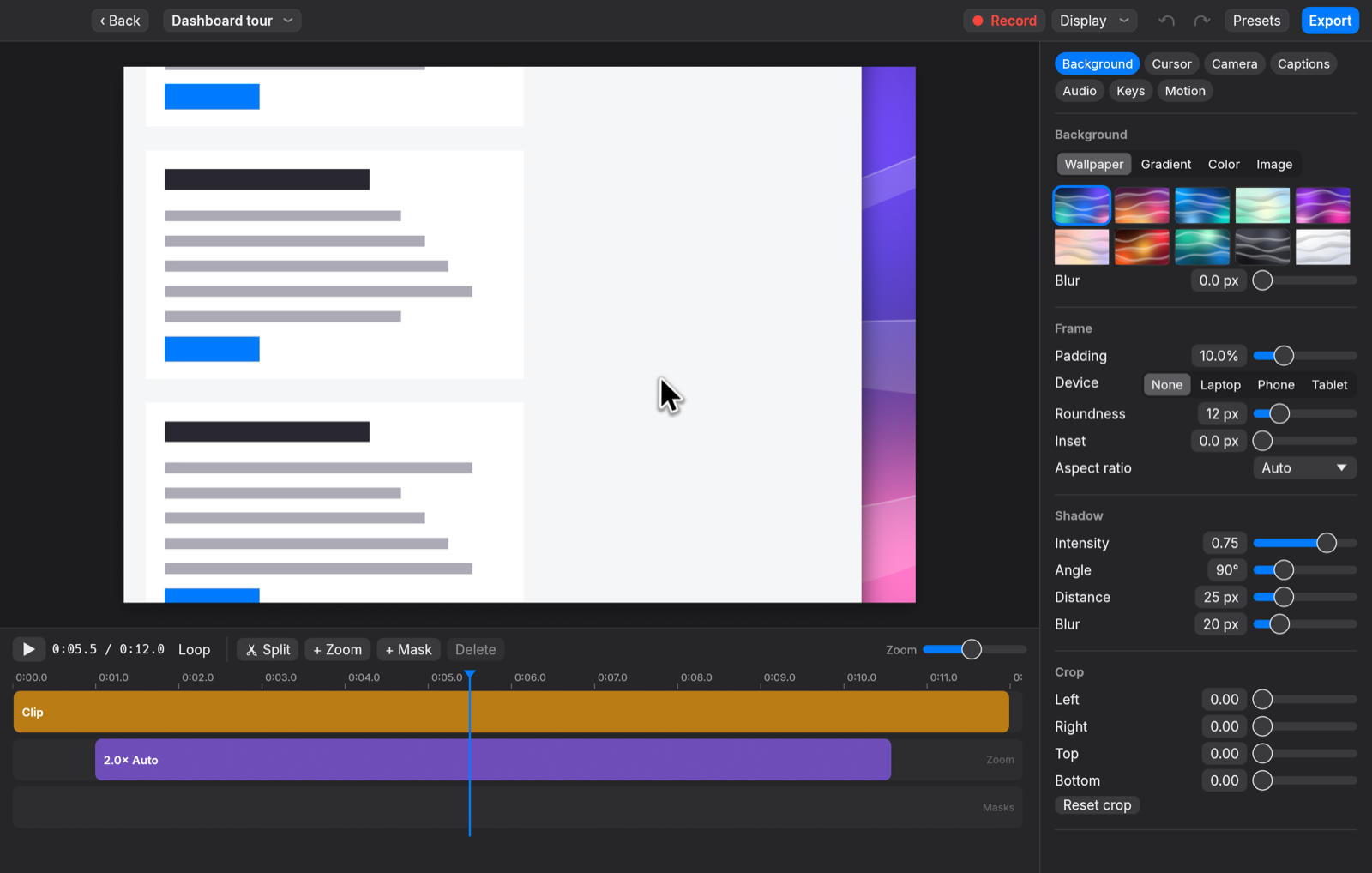
The editor side is where the Screen Studio comparison matters. The GPU-powered timeline supports clip splitting, trimming and speed changes. Clicks produce a spring-physics zoom with motion blur, so the recording tracks what the viewer is meant to be looking at. The cursor is re-rendered at high resolution with smoothing, tilt and a press-down animation. Backgrounds are generated wallpapers, gradients or a user image behind a blur. Device frames place the window inside a laptop, phone or tablet.
Captions come from either Whisper or Apple Speech on the device. Voice-over supports ducking against music and ML voice isolation. Export is MP4 using the hardware H.264 or HEVC encoder, or GIF, at 720p to 4K and 10 to 60 fps. Shimeles says exports run "usually several times faster than real time."
What a one-day recorder cannot do
The project runs on macOS 15 or later only, so Windows and Linux users cannot use it today. Building from source needs Rust on the 2024 edition, Xcode and CMake. The repository ships a PROGRESS.md file that tracks parity with Screen Studio feature by feature, so the gaps between the two tools are listed openly.
The underlying stack is wgpu over Metal for rendering, ScreenCaptureKit and AVFoundation for capture, whisper.cpp for the on-device captions, and egui for the interface. The result is a native binary rather than an Electron wrapper, and the author gives that choice as the reason he wrote it in Rust rather than reusing one of the existing Electron recorders.
Why 150 stars in one day matter
A screen recorder with built-in click zoom and device frames is a tool a developer or a product manager either does not know exists or already pays for every month. A free and open-source version removes the paid-tool bill for the second group and introduces the first group to the shape of video they would never have paid for. The first-day traction says both groups are watching.
The tool is new enough that the next week will show whether it stays stable for daily product-video work. For a solo founder, a developer-advocate team or a product manager who records release clips, the project is now worth a test on one video before the next renewal date for a paid recorder.
Source
- michaelshimeles/glide, GitHub repository and README.
This item was written by an AI system from the linked source. Reveneau is responsible for what it publishes.
Get AI News in your inbox
New developer tools, model and agent releases, and how teams are actually using them to release software. Short, and only when there is something worth reading.