AI NewsOpen sourceAnnouncement
PecoFence is a free, open-source Stardock Fences alternative for Windows 11
PecoFence groups Windows 11 desktop files and folders into glass panels you can tab, auto-sort and peek over any app. The repo has 406 stars under Apache 2.0, Rust, in ten languages.
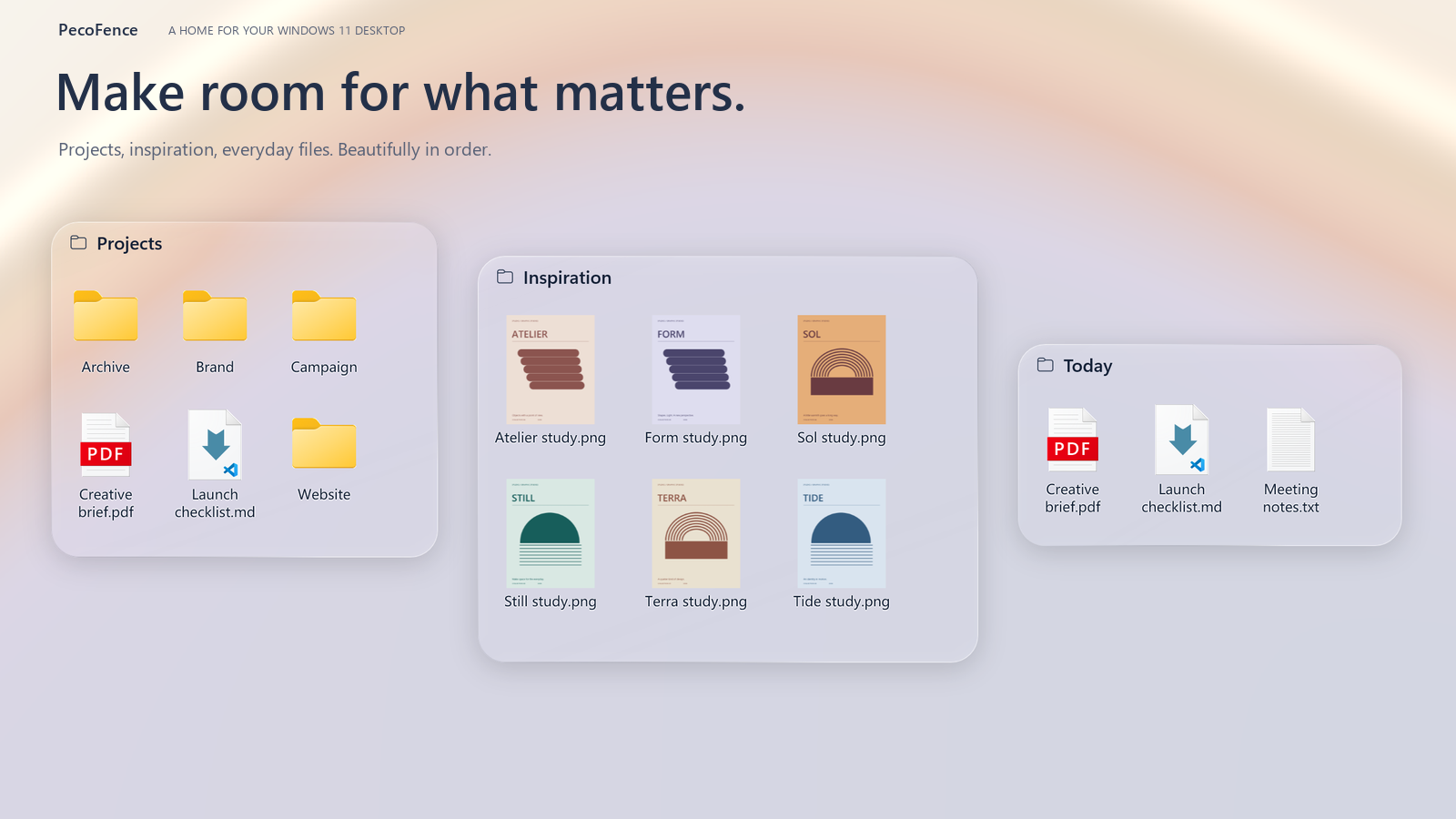
Image: PecoFence
Why it mattersAn open source alternative to a paid Windows tool, with a command line an agent can call, lets a developer set up a working desktop from a config file.
A messy Windows 11 desktop with twenty project folders and a dozen loose downloads is one of those small daily annoyances that stay annoying because the usual fix costs money, and the usual fix on Windows has been Stardock Fences.
PecoFence, from Dayuan Jiang on GitHub, is a free, open-source alternative. The repository is 29 days old and sits at 406 stars under an Apache 2.0 licence, with the latest tagged release at v0.1.5. It is written in Rust, which the README describes as a 40 MB idle footprint in Task Manager, and runs on Windows 10 22H2 or later. The project ships through the Microsoft Store (auto-updating and signed), a portable ZIP, a Windows installer, and winget.
What it does on the desktop
The idea is the one Stardock pioneered: group icons on the desktop into glass panels, each with a title, so a desktop stops being a flat grid of unrelated files. The README calls them fences. On top of that PecoFence adds auto-sorting rules that match on file type, extension, name, wildcards, shortcut targets, time and size, so a file lands in the right fence as it arrives. Live folders put any directory on the desktop and show its contents as they change, with subfolder browsing in place.
Two features are the ones a user would open the app for. Tabs merge related fences so the desktop can hold one labelled "Project" that switches between work in progress and ideas without taking a second square of screen. Peek, bound to Ctrl + Alt + Space, lifts every fence above the current application so a reader stops reading a document, grabs a file, and returns with Esc, without alt-tabbing anywhere.
The app is multilingual by default: English, Simplified and Traditional Chinese, Japanese, Korean, German, French, Spanish, Brazilian Portuguese and Russian. Layout snapshots, daily backups and configuration import and export are built in, which is how the author expects a user to move a working desktop to a new machine.
The agent command line
A separate command, pecofence-cli, exposes the same configuration as commands a script or an AI agent can call: adding fences, moving icons, writing sorting rules, changing themes, exporting the full settings file. That turns a desktop layout into something a coding assistant can set up from a short description, and reset at the end of the day, in place of twenty manual drags.
The README reads as a maintainer who treats the agent as a direct user of the app, with its own command line to call, rather than as an add-on to a human workflow. The practical use is less exciting and more common: a developer who installs a new work laptop and does not want to recreate a dozen fences by hand can hand the config file to the agent and ask for the same layout.
A buyer's objection is that the project is young. The repository is 29 days old at version v0.1.5, and the 20 open issues on GitHub are the ordinary mix of early bugs and feature requests. For a daily desktop utility that controls where every icon sits, that youth is a real limit, and the daily backup setting is the first thing to turn on before relying on it. The repo links a Microsoft Store build for the user who wants an auto-updating install, and a portable ZIP for the one who wants to try it without touching the system.
Source
The repository at DayuanJiang/PecoFence on GitHub.
This item was written by an AI system from the linked source. Reveneau is responsible for what it publishes.
Get AI News in your inbox
New developer tools, model and agent releases, and how teams are actually using them to release software. Short, and only when there is something worth reading.