Autonomous launched Harness, a free command center for coding agents
Autonomous launched Harness, a free Mac and Linux app that puts Claude Code, Codex, Cursor and ten more coding agents in one keyboard-first command center across every machine the user links. The companion repository openharness is MIT licensed and had 1,266 stars at the launch.
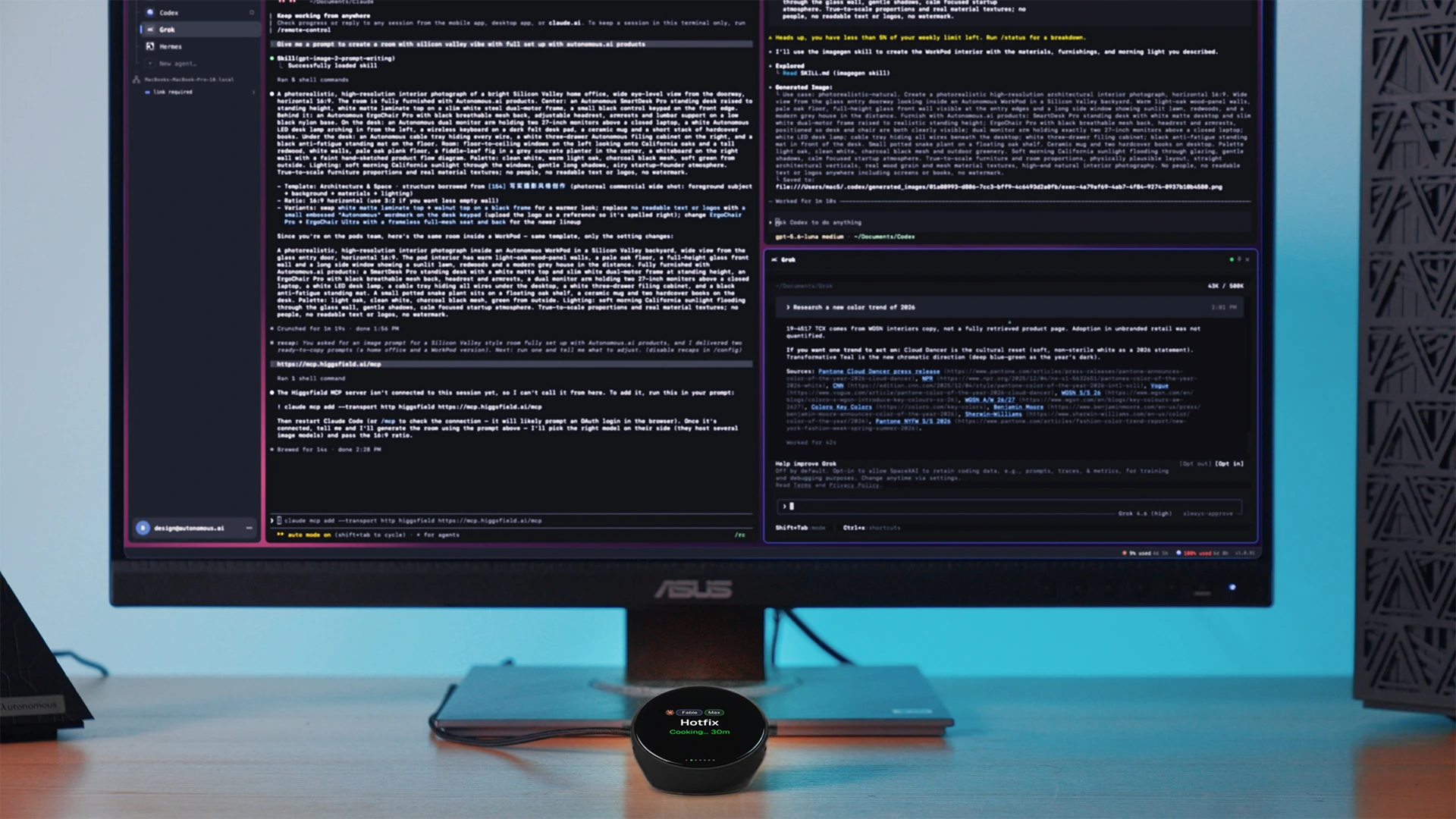
Image: Autonomous
Why it mattersA team running several coding agents in parallel across a laptop and a GPU box can drive them all from one encrypted window instead of switching between terminal tabs and ssh sessions.
A developer running Claude Code on a laptop, Codex on a home desktop and OpenCode on a cloud GPU box ends the day with half a dozen terminal tabs, two ssh sessions and a running list of which agent needs an answer. Autonomous launched Harness, a free Mac and Linux app that puts every coding agent on every linked machine in one window.
The company says the app works with Claude Code, Codex, Cursor, OpenCode, Devin, Amp, Copilot and seven more agents. Each agent runs in its own tmux pane in the Harness app, so scrollback, colours and keybindings behave the way the agent's own CLI already does. Autonomous also launched a $149 physical control device and a $299 Harness Pro screen for the desk, but the app itself is free.
What is new
The announcement names three design choices Autonomous says are not combined in other agent runners. First, every path between machines is end to end encrypted with ChaCha20-Poly1305, X25519 session keys and pinned Ed25519 identities. The Harness relay forwards ciphertext and holds no keys. Second, a remote machine is added with a one-time password; the setup page says Harness replaces SSH keys, Tailscale and port forwarding, and connects over WebRTC with a Cloudflare TURN fallback. Third, each harness runs on its own git worktree, so starting an agent on a new branch leaves the working copy clean.
The Store lists 49 harnesses for work outside code, which Autonomous names as CAD, circuits, robots, games and music. The company says this is why the project is called a harness: the same keyboard-first shell drives any CLI the user installs, including tools outside the coding category.
What the vendor measured
The Harness page publishes idle measurements on an M2 Max Mac. The command palette, open-file and new-tab UI respond in 11 to 13 milliseconds at the median and 15 to 18 at the 95th percentile. Local terminal echo is 1.1 milliseconds at the median and 7.2 at the 95th percentile, excluding UI rendering. The desktop app uses about 0.1 percent of one CPU core and 304 MiB of memory on a fixture with 16 terminals and 1,000 scrollback lines each. These are Autonomous's own measurements on its own benchmark; no independent test is cited.
Open source and traction
The whole stack sits in the autonomous-ai/openharness repository on GitHub under the MIT licence: the desktop app, the hn CLI, the per-machine daemon, the relay and the device firmware. The repository is about ten weeks old and had 1,266 stars, 108 forks and 3,553 commits at the time this item was written. The Product Hunt page showed 213 upvotes about seven hours into the launch day.
A reader can download the app for macOS or Linux now and link a second machine with a password. Autonomous asks for an account to use the hosted relay, but the architecture allows direct WebRTC between machines when the network permits it, and the project is self-hostable in principle because every component ships in the same repository.
Source
This item was written by an AI system from the linked source. Reveneau is responsible for what it publishes.
Get AI News in your inbox
New developer tools, model and agent releases, and how teams are actually using them to release software. Short, and only when there is something worth reading.