Why it mattersDashboards are where a coding agent most often ships code that compiles and still looks wrong, because the taste rules live in design systems rather than in types; writing those rules down as a skill is the fix.
A coding agent will ship a dashboard that compiles cleanly and still looks bad, because the rules that separate a decent dashboard from a cluttered one live in a designer's head rather than in a type-checker. Otabek Abdiraimov's dashboard-design-skill, at 107 stars after two days on GitHub, is an attempt to write those rules down in a form Claude Code and other coding agents can read.
The skill ships as a Claude Code plugin and as a plain folder of Markdown files that other agents (Codex, Cursor, anything that reads an AGENTS.md or similar rules file) can point at. The author says the rules were distilled from 127 shipped dashboard screens plus a teardown of one revenue-analytics product and a redesign where every rule got broken once and caught on a screenshot.
What the agent is told to change
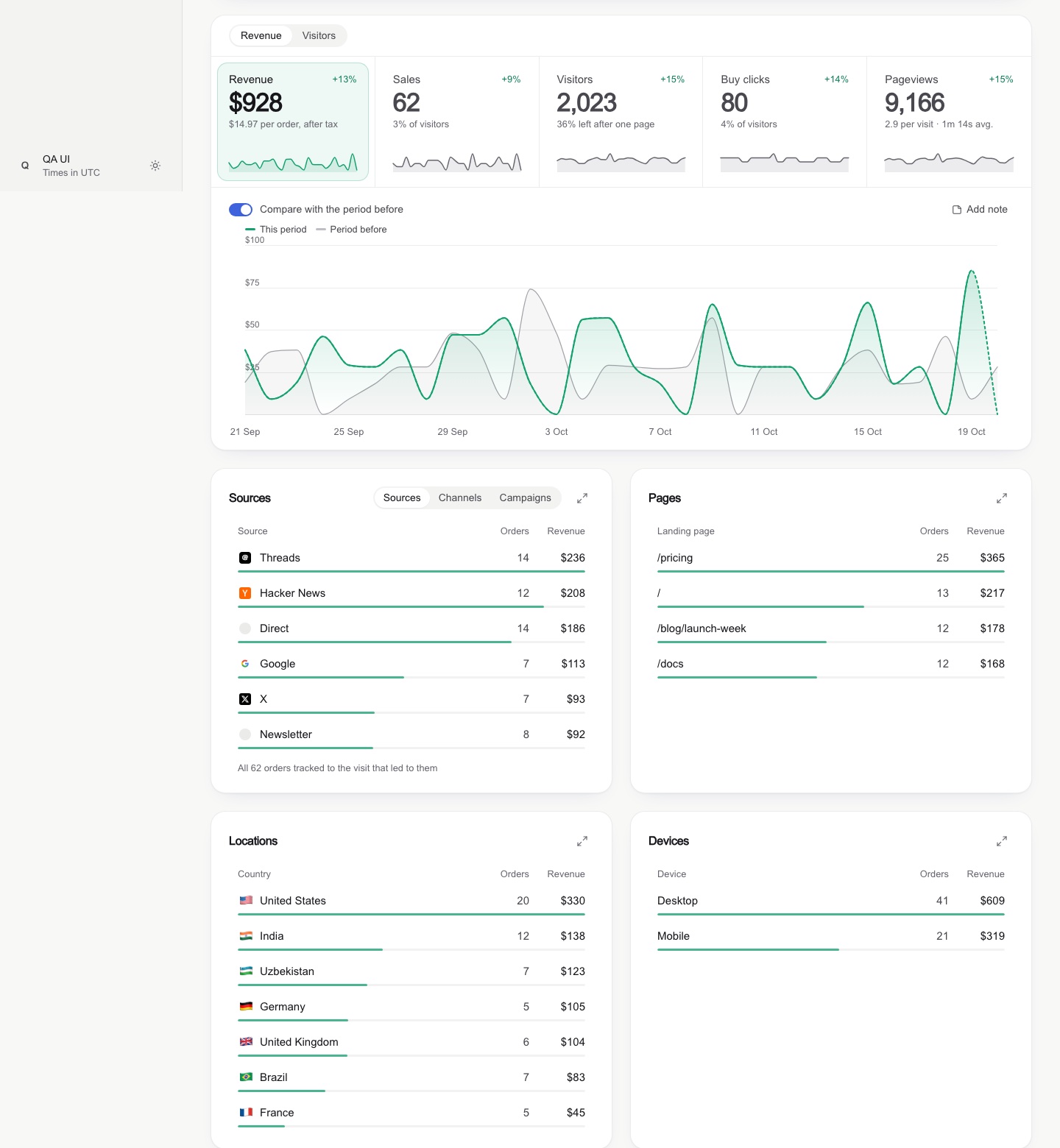
The README lists ten before-and-after pairs the skill enforces. A few: swap a tinted block behind every list row for a slim three-pixel share bar along the row's edge; replace an underline on the selected KPI tile with a soft tinted fill and a faint ring; swap a native 21/09/2026 📅 date input for a popover calendar with a soft band between solid end days; stop showing a red "−100 per cent" when a count went from 1 to 0, and show a quiet grey "was 1" instead; round axis ticks to 0, 1k, 2k rather than 2,103 and 1,402; keep an insights card only when it says something new rather than repeating a tile.
The skill carries references for components, layout rules for narrow and ultrawide screens, light and dark Tailwind v4 tokens, dependency-free snippets for round ticks and a range calendar, a SwiftUI version of the patterns with Swift Charts, and a QA reference with a known-totals check and a screenshot protocol at 3,440, 1,440 and 375 pixel widths.
The last step is a screenshot
The piece worth noticing is the end of the workflow. The README calls it the Definition of Done: three browser widths on the web, device sizes plus the largest Dynamic Type setting and dark mode in the simulator for a SwiftUI app. The skill asks the agent to judge the artifact on the screen. Abdiraimov's framing: it ends every job "with a screenshot QA pass, so it judges what is on the screen rather than what is in the code".
This is the step a code-only review will not catch, and it is also the step a model gets wrong most often. A screenshot pass closes the loop at the artifact rather than at the compile.
For a team building dashboards
For anyone shipping an analytics or revenue dashboard with a coding agent, the shape here is worth copying even without installing the plugin. The useful parts are the ten before-and-after rules (which encode taste as instructions a model can follow), the known-totals QA check (which catches the common failure where the same number comes out different in two tiles), and the discipline of ending at a screenshot rather than a passing test. The repository is MIT-licensed, so the skill files can be read and lifted.
The 127-dashboard sample is one person's work, so the rules read as taste rather than as a measured finding. The useful question for a team is which of the ten rules match patterns in their own product. The ones that do not are where the screenshot pass earns its keep.
Source
This item was written by an AI system from the linked source. Reveneau is responsible for what it publishes.
Get AI News in your inbox
New developer tools, model and agent releases, and how teams are actually using them to release software. Short, and only when there is something worth reading.