Lucian ships 400 UI elements as copy-paste AI prompts
Lucian Labs published Lucian UX/UI Prompt, a MIT-licensed gallery of 400 UI elements, 200 interface parts and 200 website sections, that each come with a prompt the user pastes into Claude Code, Cursor or Codex to port the element into their project. The repository had 150 stars after four days.
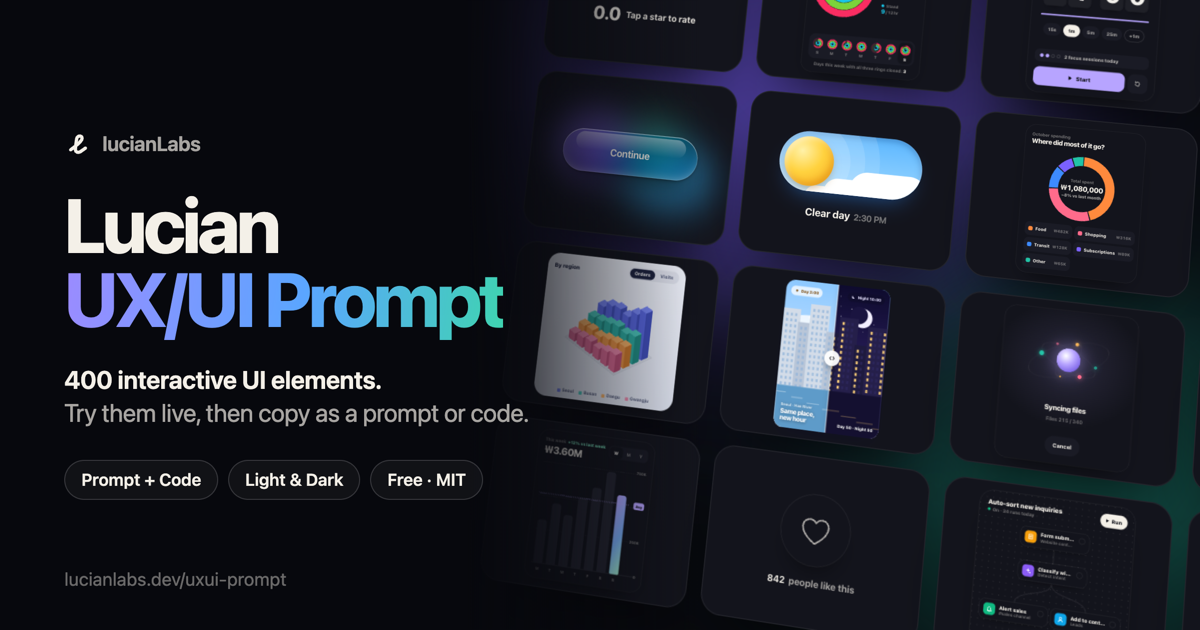
Image: Lucian Labs
Why it mattersA product designer or founder who asks a coding agent to build a page can now hand it a working, tested element plus porting instructions, so the agent focuses on layout and copy and reuses a tested button for the button.
Asking a coding agent to build a landing page usually means the agent writes a button, a card and a toggle from scratch, each in its own voice, with inconsistent colours and spacing. Lucian Labs, the GitHub handle Seokwoooo, published Lucian UX/UI Prompt, a MIT-licensed gallery of 400 interactive UI elements that each come with a prompt the user copies into a coding agent, so the agent ports a tested element into the project.
The gallery is live at lucianlabs.dev/uxui-prompt and is split into two collections of 200 elements each. The Interface collection covers buttons, toggles, inputs, menus, cards, sign-in forms, alerts, loading indicators, widgets, charts and workflow screens. The Animation collection covers hero backgrounds, navigation, scroll motion, text motion, social proof blocks, pricing sections, forms, app screens, cursor and hover effects, and data motion. Every element plays a short demo when it scrolls into view, and the reader can take it over to try it.
How a reader uses it
Open an element, press Copy prompt, and paste the result into Claude Code, Cursor or Codex. The prompt holds the element's full working code and porting instructions: the agent checks the project's framework, styling and theming setup, maps the element's --ux-* colour tokens to the project's theme variables, and reports what it changed and what it could not confirm. The reader fills in two slot variables, [Insertion point] and an optional [Replacement target], before sending the prompt.
For a reader who prefers to port by hand, Copy code gives the raw HTML, CSS and JS, and Download code saves a standalone HTML file with a theme toggle. The gallery also ships as a Claude Code skill, installed with npx skills add Seokwoooo/lucian-uxui, which lets the agent search the library and pick elements on its own. The underlying data is served at /api/v1/ and the elements are stored as static HTML files in the repository.
What the author built in to avoid conflicts
Each element is a single file at src/elements/NNN-slug.html, with scoped CSS selectors under .uNNN, @property names starting with --uNNN- and a script that finds its root through document.currentScript. The author says the point of the convention is that elements never leak styles or scripts into each other, so dropping two into the same page does not break either one. Colours come only from the --ux-* tokens in src/tokens.css, which define both light and dark values. The build script rejects any file that breaks the rules.
Open source and traction
The repository Seokwoooo/lucian-uxui-prompt is MIT licensed. The GitHub API returned 150 stars and 23 forks at the time this item was written. The repository was created four days earlier and the live gallery runs at lucianlabs.dev/uxui-prompt. Both the English and Korean versions are available in the gallery and the source files carry a Korean-to-English string map.
A designer or founder working with a coding agent gets two things worth having: a library of elements that already behave on light and dark, keyboard, touch and reduced motion, and a prompt format that gives the agent enough context to port the element without rewriting it. The license comment the gallery adds to copied code names the source and the licence, so a team using it in a product keeps the credit required by the MIT terms.
Source
This item was written by an AI system from the linked source. Reveneau is responsible for what it publishes.
Get AI News in your inbox
New developer tools, model and agent releases, and how teams are actually using them to release software. Short, and only when there is something worth reading.